Making quality content felt like you needed a bundle of stuff—writing skills, a graphic design program, a video editor, research tools, and sometimes even voice-over gear. In 2026 AI has changed everything.
If you are a blogger, YouTuber, Instagram creator, a freelancer, newsletter writer, or a solo business owner, the right AI utilities can help you brainstorm topics, write drafts, craft visuals, investigate subjects, make videos, generate voiceovers, and then recycle what you already made into newer formats.
The exciting thing is that you do not need an expensive subscription to begin.
A lot of the best AI tools for beginners now come with useful free plans, or free versions. However, “free” does not mean you can use all the tools and features offered by the company without limit. Most AI platforms will limit usage, access to advanced models, number of credits, exports or premium features.
In this guide, you will get to know about the best free AI tools for content creators in 2026 along with their capabilities, strengths, weaknesses, and uses in creating your own content creation process.
Quick Comparison Table – Best Free AI Tools for Content Creators in 2026
| AI Tool | Usage | Best Content Type |
| ChatGPT | Generating ideas, writing, scripts | Blog posts, scripts, captions |
| Canva AI | Graphic and design work | Thumbnails, social media posts, graphics |
| InVideo AI | AI video creation | Shorts, videos, explainers |
| Grammarly | Improving your writing | Blogs, captions, copy |
| Perplexity | Finding information and facts | Articles, research |
| ElevenLabs | AI voiceovers | Video, podcast narration |
| Adobe Express | Social media and design | Posts, videos, graphics |
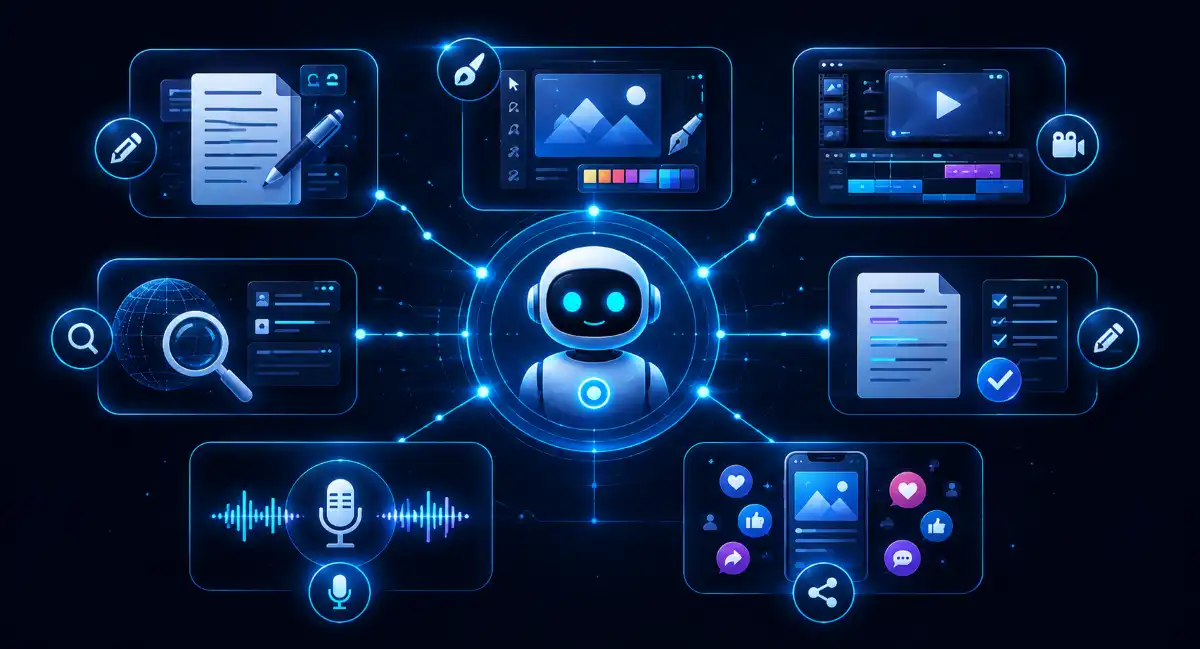
1. ChatGPT — Best Overall AI Tool for Content Creators
If there is any one AI tool that should be tried first by content creators, then ChatGPT happens to be one of the best choices.
It can be used at any stage of the content creation process, whether idea generation, outlining, drafting, captioning, hook generation, and re-using of existing content.
The ChatGPT Free plan at the moment allows users access to such features as web searches, file and image uploads, data analysis, GPTs, and image creation.
How can people use ChatGPT?
ChatGPT can be used to:
- Suggest ideas for blog posts
- Provide topics for YouTube videos
- Write scripts for videos
- Come up with social media captions
- Write Instagram captions
- Shorten articles to make them concise
- Suggest ideas for newsletters
- Draft outlines for the content
- Revise and improve the existing content
- Analyze the uploaded documents
- Conduct research on the internet
- Design images for creative work
For example, a YouTube creator might begin with something like:
“Give me 10 YouTube video ideas about beginner AI tools , including a strong hook for each.”
Afterwards, develop the chosen idea into a script, video outline, description, and social media posts.
Why you should consider it
ChatGPT is highly effective when used as the main brainstorming and copywriting assistant.
But be warned: you cannot publish all the results from ChatGPT. The content generated by AI may be incorrect, overly generic, or repetitive. Only your expertise, viewpoints, and edits create value in the final product.
Ideal for: Bloggers, YouTubers, social media creators, newsletter writers, and freelancers.
2. Canva AI — Best for Graphics, Thumbnails and Social Content
Canva is probably the easiest choice for creators requiring beautiful visuals but without the expertise of professional graphic design.
Canva’s AI capabilities are embedded within its entire design suite. Canva AI can assist creators to go from concept to completion, whereas features like Magic Write can assist in rewriting texts.
What type of visual content can you create with Canva AI?
With Canva, creators can produce:
- YouTube thumbnails
- Instagram posts
- Instagram carousels
- Graphics for blogs
- Pinterest pins
- Presentation slides
- Infographics
- Posters
- Short videos
- Social media graphics
- Visuals created using AI and design
Perhaps the biggest advantage of Canva is that you do not have to switch between many different applications.
For example, you can start from a topic for a blog, create a social media graphic, write your headline, edit the design, and export the completed image on one platform.
Best use case for bloggers
In case you write articles, then Canva is particularly helpful in producing the following visuals from one article:
Featured image → Pinterest graphic → Instagram post → Social carousel
This helps create multiple visual elements out of one article.
One limitation
Some of Canva’s more advanced AI features, plus the higher usage limits, are only available with paid plans. The free plan is still useful, but you should verify the current availability of a specific AI feature before you plan a bigger production workflow.
Best for: Bloggers, Instagram creators, YouTubers, marketers, and beginners.
3. InVideo AI — Best Free AI Video Tool for Creators
InVideo AI is a video-making software application using artificial intelligence which makes it easy for users to make videos using their inputs and ideas without the need to make each individual frame of the video themselves.
It is especially helpful for those who wish to create YouTube videos, explainer videos, social media videos, promo videos, etc.
At the moment, InVideo is offering a free plan which does not require you to enter a credit card number in order to use it.
What can you do with InVideo AI?
You can do many things with InVideo AI like:
- Creating videos based on prompts
- Converting scripts to videos
- Generating explainer videos
- Creating social media videos
- Creating YouTube video drafts
- Adding AI voiceovers to your videos
- Generation of scenes and visuals
- Adding subtitles and texts
- Repurposing the content for videos
- Trying out the AI video creation
Simple AI video creation workflow
You could:
- Generate an idea using ChatGPT.
- Perform the research using Perplexity.
- Write the script using ChatGPT.
- Feed the script or concept into InVideo AI.
- Review the generated scenes.
- Replace irrelevant visuals.
- Edit captions and branding.
- Create or edit the voiceover.
- Publish the created video.
It can help cut down on the repetitive process in video creation.
Why use InVideo AI instead of CapCut?
Because this article is meant for people creating videos in India, using InVideo AI is recommended since the platform can be accessed via a web browser and a free account without having to download any third-party apps.
CapCut might have a global user base, but due to accessibility issues in India, this app isn’t recommended for inclusion in a list of accessible tools in India.
Best for: YouTubers, Shorts makers, marketers, bloggers, beginners, and video creation through AI.

4. Grammarly — Best for Improving AI-Generated Content
While the AI can provide a draft instantly, instant does not mean good.
Here is when Grammarly will come in handy.
Grammarly offers assistance with grammar, spelling, clarity, tone, and rewriting.
What type of tasks can creators perform with Grammarly?
Grammarly will be able to help you:
- Check grammar
- Detect typos
- Increase clarity of sentences
- Rewrite awkward sentences
- Make sentences more concise
- Modify tone
- Improve readability
- Edit social media descriptions
- Edit blog posts
- Edit emails and newsletters
It will especially help you if you use other AI software to generate the initial draft.
Instead of using AI to write a “perfect” article that you publish instantly, write an initial draft with AI and use Grammarly as a step in your editing process.
Workflow example:
ChatGPT → Draft → Editing by humans → Grammarly → Article
Thus, you will have all the advantages of artificial intelligence writing guaranteed, but with an even better readability of your final content.
Useful for: Bloggers, copywriters, students, freelancers, and social media creators.
5. Perplexity — Best for AI-Assisted Research
Content needs good research.
The most helpful feature of Perplexity is when you need to conduct research on some topic before creating any content.
It is based on the search experience tailored towards web sources and citations which is great for researching topics and finding references.
What are the main use cases for creators to use Perplexity?
Here is the list:
- Article topics research
- Statistics
- Primary sources
- Competitor research
- Understanding difficult topics
- Recent developments in the field
- Research questions generation
- Product comparisons
- References finding
For instance, instead of asking:
“Write an article about AI video editors.”
It would be better to do research first and ask:
“What are the major trends in AI video editing in 2026? Provide key developments and reliable sources.”
And then use results to create your article.
The importance of research
One of the main issues with AI-generated content is that sometimes the creators use the data generated by AI without further verification.
An AI search tool will help you to find sources for your content but anyway, make sure to check them yourself.
Best for: Bloggers, journalists, researchers, YouTubers, and educators.
6. ElevenLabs — Best Free AI Voice Generator
If you make videos but do not want to record your voice, an AI voice generator can help.
ElevenLabs provides text-to-speech, audio generation and other features which might come in handy for narrations and voiceovers.
What can creators do with ElevenLabs?
It might help with:
- YouTube narration
- Short videos
- Explaining videos
- Educational materials
- Experiments with podcasts
- Voiceovers
- Stories
- Anonymous YouTube channels
Its multilingual abilities can also be helpful when creators aim at international audience.
Important note on the free-plan
There is an important feature which creators should keep in mind.
When you want to use free-generated audio in your monetized or commercial materials, remember to check the licensing rules for your plan.
They may vary depending on free-plan limitations and rules for commercial usage.
Best for: Voiceovers, faceless videos, narration, and experiments.
7. Adobe Express — Best All-in-One Visual Content Tool
Adobe Express is another great platform for creators, who want to bring design, video, templates, and some AI features into one place.
The current Free Plan provided by Adobe in India is available for ₹0 and comes with basic editing tools, more than 100,000 templates, more than 1 million Adobe Stock items, 5GB of cloud storage, and limited generative AI functionalities.
What do creators have the ability to create in Adobe Express?
You may create:
- Social media posts
- Reels
- Short videos
- Posters
- Blog graphics
- Thumbnails
- Flyers
- Presentations
- Marketing graphics
- Branded content
The free plan also offers browser and mobile access, which is helpful for creators that work on various platforms.
One beneficial feature
Adobe Express integrates with Adobe’s whole creative suite.
In case you are using other Adobe products, then Express is an easy way to create social media content without launching a professional application.
Limitations of Free Plan
The free plan has less number of assets, features, and AI credits in comparison to the Premium plan. Some generative AI functionalities have restricted usage, and creators who create lots of content may require a paid plan eventually.
Most suitable for: Creators for social media, marketers, bloggers, and Adobe users.
Which Free AI Tool Is Best for Content Creators?
Not every single AI tool is perfect for all types of use.
It all depends on what kind of content you produce.
| If you are a… | Start with |
| Blogger | ChatGPT + Perplexity + Grammarly |
| YouTuber | ChatGPT + InVideo AI |
| Shorts/Reels maker | InVideo AI + Canva |
| Instagram maker | Canva + ChatGPT |
| Faceless YouTuber | ChatGPT + InVideo AI + ElevenLabs |
| Newsletter maker | ChatGPT + Grammarly |
| Graphic designer | Canva + Adobe Express |
| Research-based creator | Perplexity + ChatGPT |
For beginners, I advise starting off with only three tools out of the seven suggested above.
An easy free creator toolkit would be:
ChatGPT → Canva → InVideo AI
Use ChatGPT to come up with ideas and script, Canva for graphics/thumbnails, and InVideo AI to create video with AI assistance.
You may introduce Perplexity and Grammarly whenever you need more detailed research or some extra writing editing.
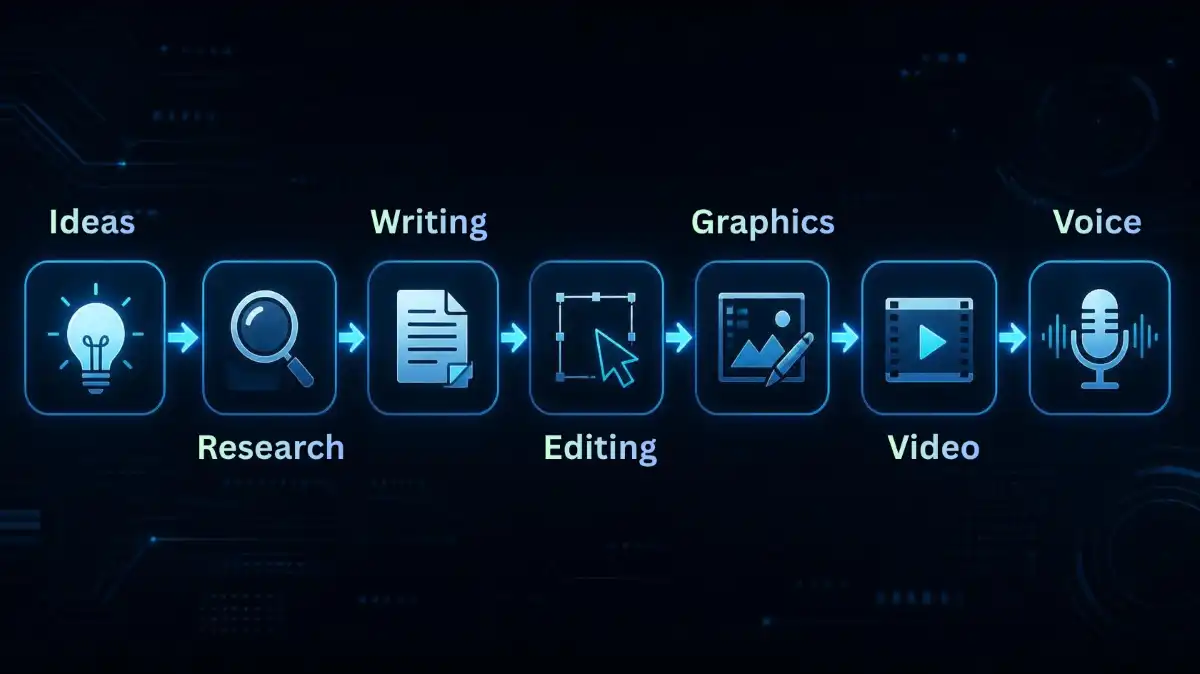
How to Build a Free AI Content Creation Workflow
The biggest mistake beginners make is collecting dozens of AI tools without creating a workflow.
You don’t need 20 different platforms or whatever. Instead, break the content creation into a few stages.
Step 1: Identify an idea
Start by searching for:
- Topics
- Questions
- Trends
- Content gaps
- Video ideas
Step 2: Conduct Research on the Topic
- Do research using Perplexity.
- But don’t just take everything the AI says as fact, you know what I mean. Open the most important sources and verify them yourself.
Step 3: Make a First Draft
- Use ChatGPT to write an outline, or a first draft of your work.
- Give it your own examples, experience, opinions, data… not just prompt it to “write an article”. If you don’t feed it with context,
- you’ll get generic stuff.
Step 4: Edit the content
- First, review the AI generated content by yourself.
- Then use Grammarly to spot issues, grammar clarity, readability, all that.
Step 5: Make visuals
Create visuals with Canva or Adobe Express:
- Featured images
- Thumbnails
- Social posts
- Infographics
- Carousels
Step 6: Turn the content into video
Use InVideo AI to turn your content scripts, or even just ideas into a video draft.
You can create things like:
- YouTube videos
- Shorts
- Reels
- Explainer videos
- Social media content
And yeah, always check the AI made scenes before publishing. Sometimes it mixes up details, or the visuals and scripts end up with inaccurate info.
Step 7: Add voice
- If it’s necessary, you can use an AI voice creation tool like ElevenLabs.
- Still, remember to check the latest license terms, for AI content usage, especially if you plan to monetize.

Tips for Using AI Without Making Your Content Generic
AI can help speed up the process, but speed should not be the ultimate goal.
These are some easy tips to make your AI-assisted content better.
Add personal experience
Instead of:
“AI tools can reduce content creators’ time spent.”
Try talking about what happened in your real workflow, and how that tool helped you move through a specific step, not just “faster.”
Add original examples
Give readers the real prompts, the exact workflow steps, and if possible screenshots, comparisons, even a couple of plain use cases that show how things worked for you.
Verify Facts and Information
Sometimes AI do mistakes. So check statistics, prices, product features, and every claim before you hit publish, just to be safe.
Don’t publish raw AI output
AI can be your assistant, but not your editor.
Focus on reader
Ask yourself:
Does this article really address the problem of the reader?
The answer is no, more AI-generated paragraphs will not change it.
Frequently Asked Questions (FAQs)
Q1. What are the best free AI tools for content creations in 2026?
Ans. Best free AI tool for content creations are ChatGPT, Canva, InVideo AI, Grammarly, Perplexity, Adobe Express and ElevenLabs.
Q2. What is the best free AI tool for writing content?
Ans. ChatGPT is among the most flexible free AI tool that can generate ideas, outlines, write articles and rewrite
Q3. What is the best free AI video tool for creators?
Ans. InVideo AI is an excellent AI tool for making videos, especially for people who want to build videos but have no ideas or scripts and also don’t need any video editing software.
Q4. Can I create content using AI for free?
Ans. Yes, there are many AI tools which provide their services for free. However, the free version has limitations in terms of credit usage, export etc.
Q5. Do I need multiple AI tools for content creation?
Ans. No, you begin from scratch using only three AI tools, which are ChatGPT for writing and generating ideas, Canva for designing, and InVideo AI for creating videos.
Conclusion
The best free AI tools for content creators in 2026 are not always the ones with the most impressive AI features. Honestly, the best tools are the ones that mix into your content workflow easily, like it was already there.
ChatGPT is the best to use for brainstorming, writing, and scripting. The Canva AI will be good if you are looking to make some graphics and social media content, while InVideo AI can be considered to be a practical choice if you need some AI-based video making. If you need something for editing written content, then Grammarly will help you out, and Perplexity will come in handy if you need any research.
You do not have to subscribe to every single platform.
You just have to start with two or three AI tools, understand how they can complement each other, and establish a repeatable workflow.
The point is not to rely on AI to generate content automatically.
It is to rely on AI to save some time and energy to focus on content that people would want to consume.